 Keptly
Notification history for Android
Message gone?
Not from here.
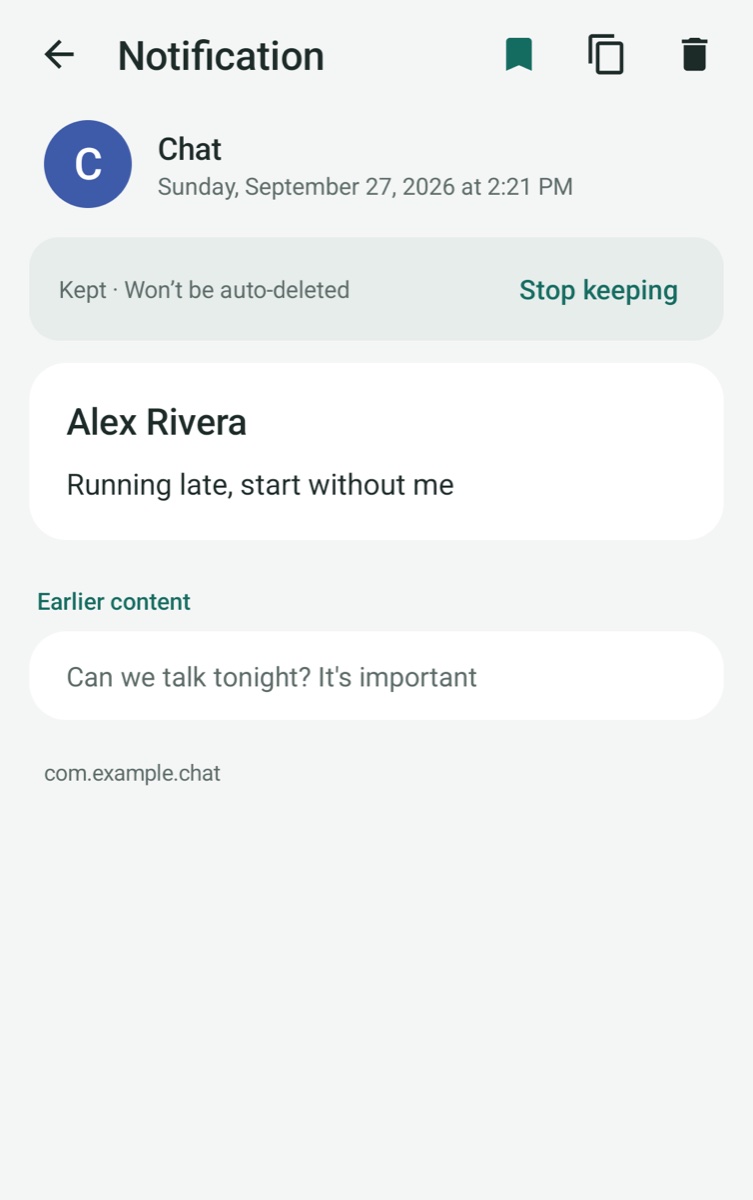
Keptly saves the notifications you choose, privately on your phone. If a message is deleted or edited after it arrived, you still have what it said, earlier version included.
- No internet permission
- No accounts
- No ads
- English · Español · Català
How it works
Set it up once. Forget about it.
-
1
Allow notification access
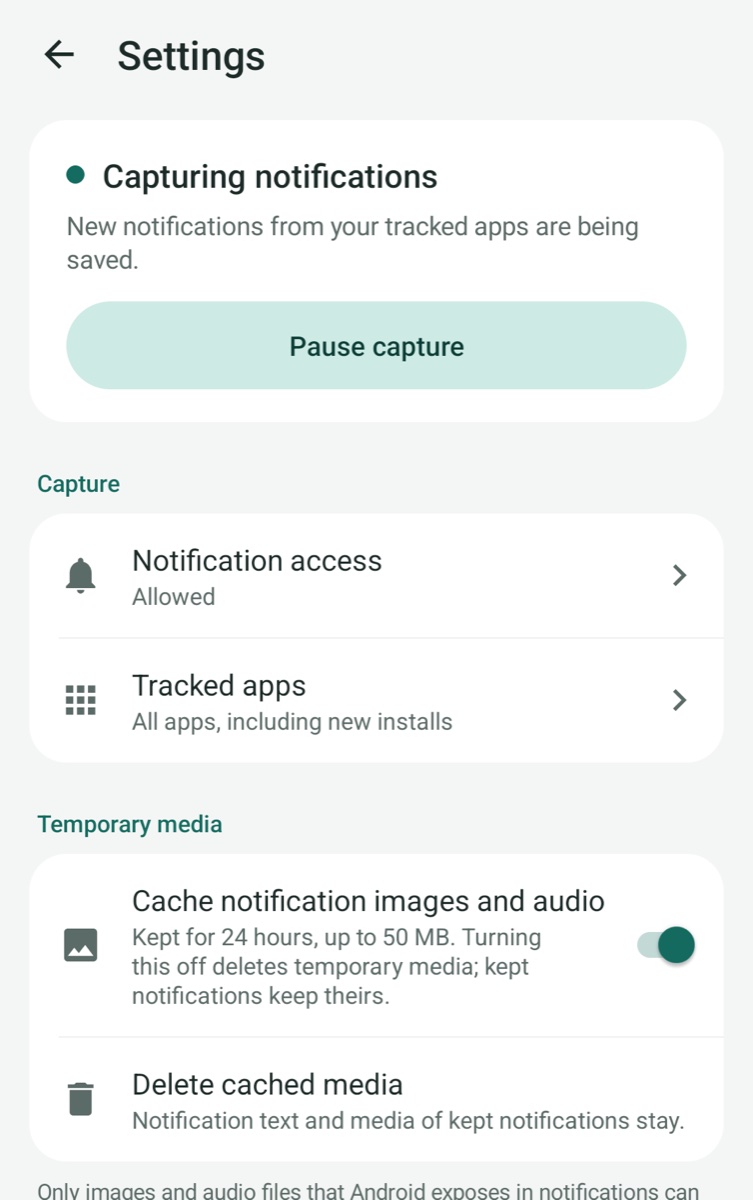
Keptly uses Android’s notification access, which you can turn off at any time.
-
2
Pick your apps
Popular chat apps are selected for you. Add any others, or save them all.
-
3
Find it when you need it
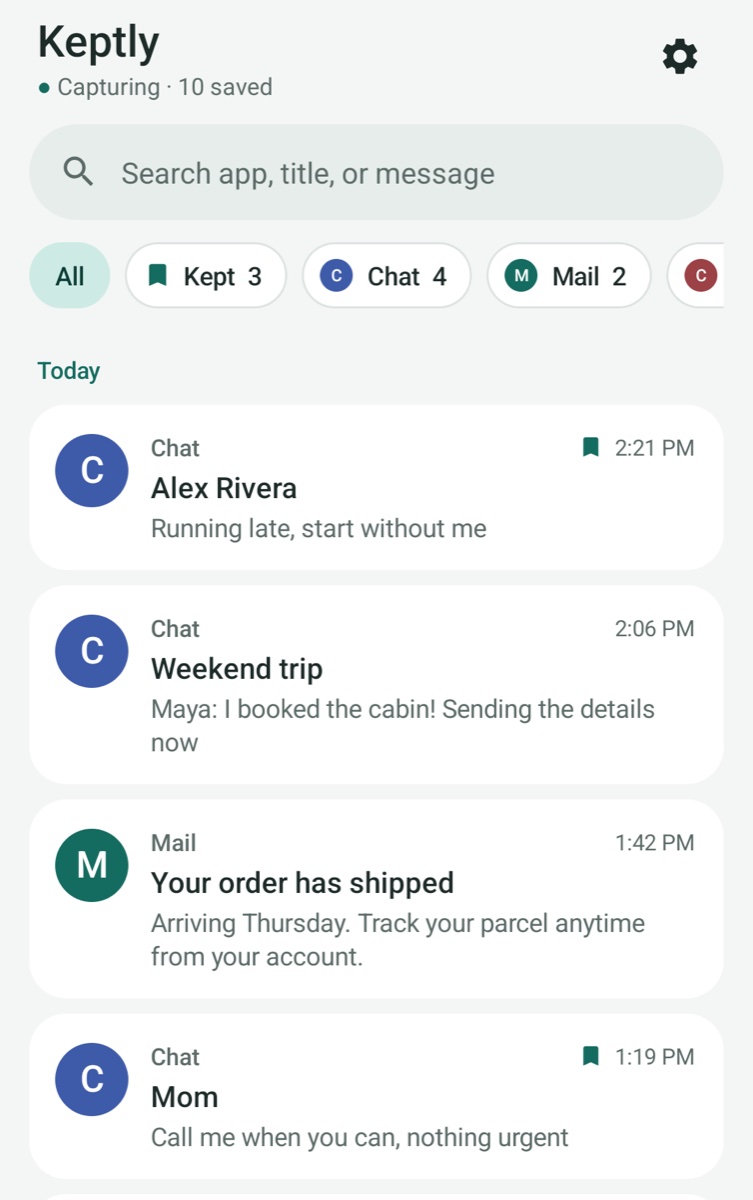
Search, filter by app, and keep what matters. Everything else tidies itself after 2 days.
What you get
Small app, useful memory.
See earlier versions
When an app updates a message, Keptly keeps what it said before.
Find anything
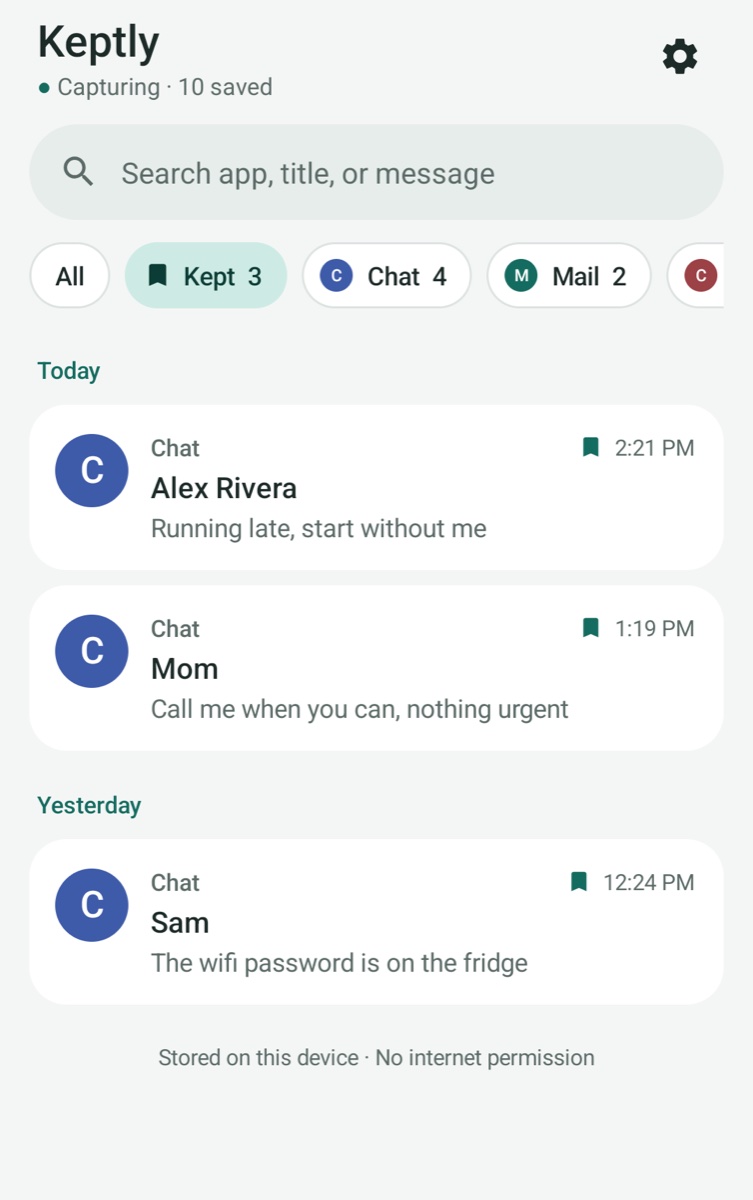
Search by app, title or message, and filter by app in one tap.
Keep what matters
Long-press to keep a notification. Kept ones are never deleted automatically.
Photos and voice notes
When a notification includes an image or audio, Keptly can save it too.
A look inside
Clean, calm, and dark-mode ready.
Private by design
Keptly has no internet permission, so it physically can’t send your notifications anywhere. No accounts, no ads, no analytics, no third-party code, and no Android backups. Uninstall it and everything is gone. Read the privacy policy.
FAQ
Good to know
Can it recover messages from before I installed it?
No. Keptly saves notifications from the moment you start capture. Anything dismissed before that isn’t stored anywhere it can reach.
Which apps does it work with?
Any app that shows notifications. Popular chat apps are selected by default, and you can add others or save everything.
Does it see messages I never got a notification for?
No. Keptly only keeps what a notification shows, so muted chats or content an app hides (like some verification codes) won’t appear.
How long is everything kept?
Notifications are deleted 2 days after they arrive, unless you keep them. Images and audio are temporary for 24 hours, or kept along with a kept notification. You can change this in Settings.
Is anything uploaded?
Never. The app has no internet permission, and its data is excluded from Android backups.
Never lose a message again.
Free on Google Play. Android 8.0 and newer.
Get it onGoogle Play